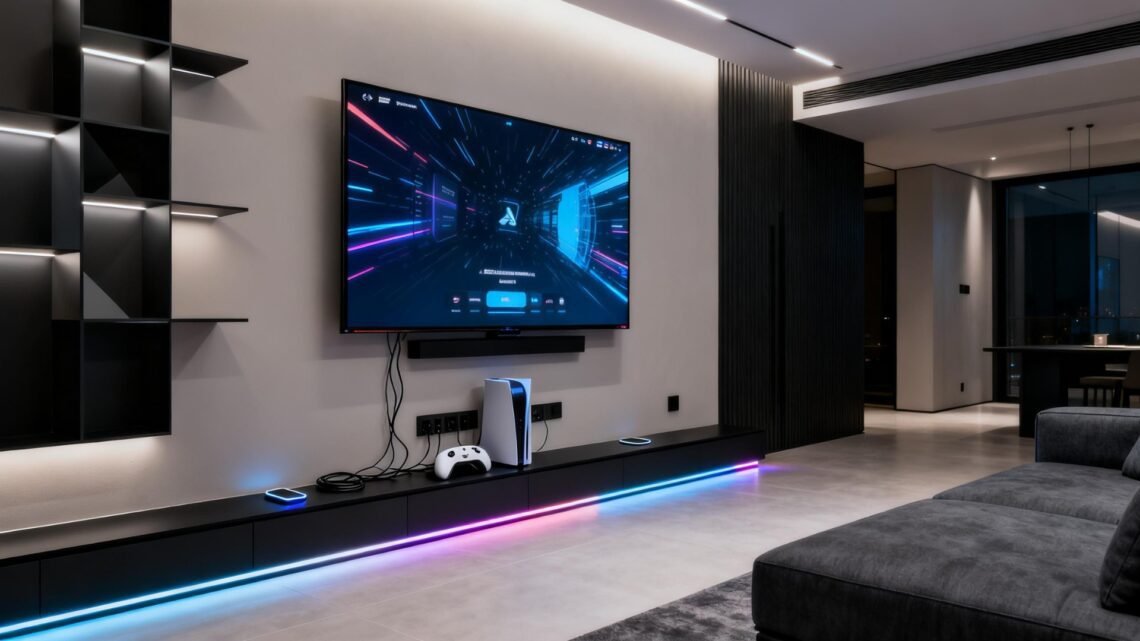
🎮 How to Build a Zero-Latency Living Room Gaming Setup With Modern Consoles
A great living-room gaming setup isn’t just about graphics—it’s about response. The faster the system reacts to your inputs, the more natural and immersive everything feels. Modern consoles like the PlayStation 5, Xbox Series X, and Nintendo Switch already output fast signals, but the equipment around them often adds delay without you realizing it. Building a low-latency setup comes down to three things: choosing a responsive display, simplifying the signal chain, and strengthening your network so online play feels as close to real-time as possible.
Choose a Display Designed for Gaming, Not Processing
Your TV influences input delay more than any other component. Many modern screens add milliseconds of lag through image enhancement features—motion smoothing, dynamic contrast, noise reduction—that look great for movies but slow down gaming response. The simplest fix is choosing a display with a strong “Game Mode,” which bypasses these extra processes and keeps latency low.
A 120Hz TV also matters. Higher refresh rates don’t just make motion smoother—they allow the screen to react to your inputs faster because it refreshes more frequently. Features like Variable Refresh Rate (VRR) and Auto Low Latency Mode (ALLM) help the console and TV stay synchronized, preventing stutters during fast-action scenes. Even if you’re not chasing esports-level performance, these upgrades make everything from shooters to racing games feel more immediate and controlled.
4K gaming TV • HDMI 2.1 cable • TV wall mount
Simplify the Signal Path and Configure the Console Correctly
A zero-lag mindset starts with minimizing what sits between the console and the screen. Use a certified Ultra High Speed HDMI 2.1 cable to ensure the console can output at full bandwidth without falling back to slower formats. Avoid long cable runs, unnecessary splitters, or HDMI switchers—each one can add a few milliseconds.
Console settings matter, too. On PS5, enabling 120Hz Output, VRR, and Game Mode helps the system send the cleanest possible signal. On Xbox Series X, turning on “Allow variable refresh rate” and “Allow 4K” while confirming the TV reports ALLM keeps everything in its lowest-latency configuration. Small adjustments like matching HDR tone-mapping modes or making sure the RGB range isn’t mismatched prevent hidden conversion steps that slow down the signal.
HDMI accessories • Console cooling stand • Gaming SSD expansion
Build a Network That Keeps Online Latency Predictable
Online delay isn’t just about raw internet speed—it’s about consistency. Wired Ethernet is still the gold standard for stable gaming, especially if your provider offers fiber. If wiring isn’t an option, a strong Wi-Fi 6 router reduces congestion and lowers ping spikes by handling multiple devices more efficiently.
Quality of Service (QoS) settings can prioritize your console’s traffic so downloads, streams, or other devices don’t interrupt gameplay. Assigning a static IP and enabling UPnP or port forwarding helps maintain an open NAT, improving matchmaking and voice-chat reliability. A mesh Wi-Fi system can also help if your console sits far from the router, providing low-latency coverage across larger homes.
Wi-Fi 6 router • Ethernet cable • Mesh Wi-Fi system
A low-latency living room setup comes from aligning the right screen, the right signal chain, and the right network conditions. When everything works together, input feels instant, motion looks clean, and online matches stay stable even during peak hours. It’s the difference between feeling like you’re watching the action—and feeling like you’re fully in control of it.


You May Also Like
🎮 How I Built a Fully Ready Gaming Setup Under $1,000 That Runs Modern Titles Smoothly

🎮 Level Up Your Thanksgiving Break: The Best Gaming Gear for a Chill, Stress-Free Holiday